How to Choose a Budget Smartphone: Specs That Actually Matter
A plain-English guide to the smartphone specs that matter under $500, and the ones you can ignore, with a buying checklist.
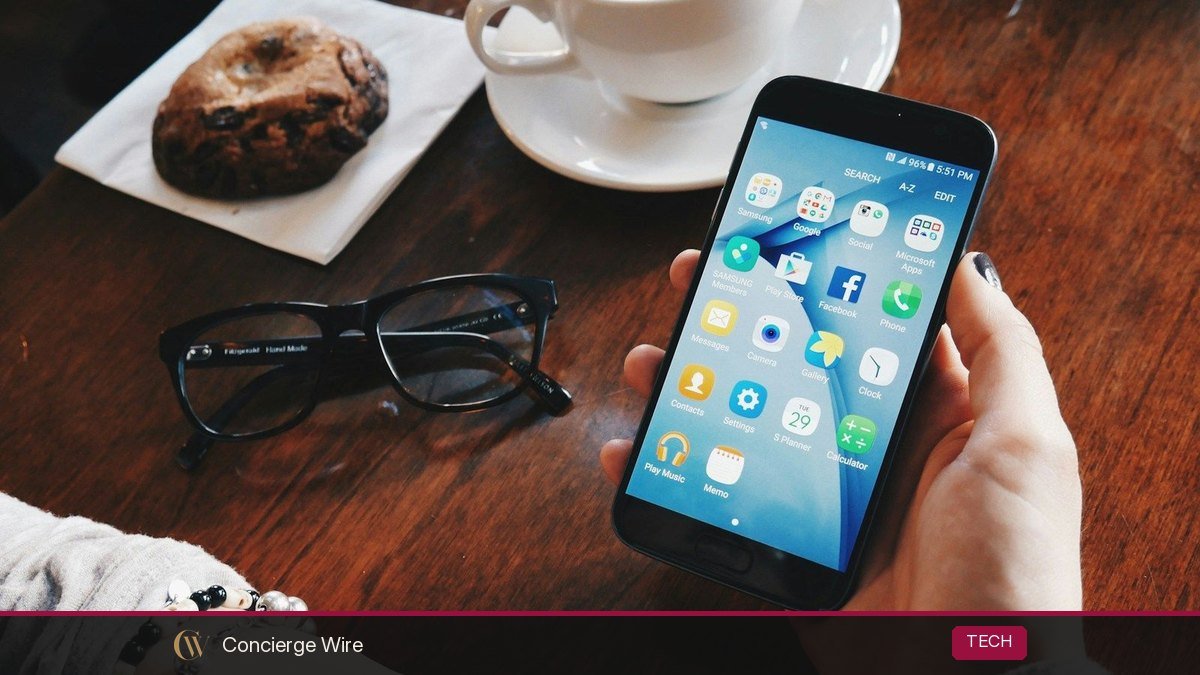
When you choose a budget smartphone, the specs that actually matter are the length of software support, the processor, RAM and storage, battery size, screen quality and main-camera performance, plus whether the phone works properly on your carrier. Megapixel counts, extra cameras and “AI” labels matter much less than the spec sheet suggests. This guide explains each spec in plain English, what numbers to look for in 2026, and the traps that make a cheap phone expensive.
Key Takeaways
- Check the software update promise first. Some budget Android phones now get six or seven years of updates; others get far fewer, which shortens the phone’s useful life.
- For smooth everyday use in 2026, aim for at least 6GB of RAM (8GB is better) and 128GB of storage.
- A 5,000mAh battery is the common benchmark for all-day use on Android budget phones.
- One good main camera beats three or four weak ones. Ignore depth and macro lenses on cheap phones.
- Phone unlocking rules changed: since January 2026 Verizon no longer has to auto-unlock phones after 60 days, so buying unlocked matters more if you might switch carriers.
What Counts as a Budget Smartphone in 2026?
In the US, “budget” usually means a new phone under about $500, with a lower tier under $200 and a middle tier from roughly $200 to $400. What you get at each level has improved a lot. Many phones in the $400 to $500 range now share key features with flagships, while sub-$200 phones still involve real compromises.
| Price range | What to expect | Common compromises |
|---|---|---|
| Under $200 | Large screen, big battery, basic performance, usable daytime photos | Slower chips, weaker low-light photos, shorter update support on some models, LCD screens |
| $200 to $400 | Smoother performance, better screens (often OLED, 90–120Hz), longer update promises on some brands | Average night photos, plastic build, slower charging |
| $400 to $500 | Near-flagship processors on some models, strong main cameras, long software support | Fewer premium extras like fast wireless charging or telephoto zoom |
A useful rule: spending a bit more for a phone you will keep for five years is often cheaper per year than buying a $150 phone you replace after two.
1. Software Updates: The Most Underrated Spec
Software support determines how long your phone stays secure and compatible with apps. Once a phone stops receiving security patches, it becomes riskier to use for banking, email and payments.
The gap between brands is big. As examples of current policies, Google says the Pixel 10a, priced at $499, gets seven years of OS and security updates, and Samsung’s budget Galaxy A17 is promised six major Android upgrades and six years of security updates. Many lower-priced Android phones from other brands promise only two or three years of OS updates. Apple does not publish a fixed number, but iPhones have historically received iOS updates for many years, which is one reason older or lower-priced iPhones hold value.
Do this: Before buying, search the phone name plus “update policy” and note the end date, not just the number of years. Support is usually counted from the phone’s launch, not from when you buy it, so a two-year-old model has already used part of its support window.
2. Processor (Chipset): Look at the Tier, Not the Clock Speed
The processor affects how fast apps open, how smoothly the phone scrolls, how well it handles games and how well photos are processed. Clock speeds in gigahertz are not a useful comparison across brands.
- Look for the chip family and tier. Qualcomm Snapdragon (8, 7 and 6 series from higher to lower), MediaTek Dimensity (higher numbers usually mean higher tier), Google Tensor, Samsung Exynos and Apple’s A-series chips. Within a family, newer and higher-tier generally means faster.
- Check real reviews. Reviewers test for stutter, heat and app loading. That tells you more than a benchmark number.
- Avoid very old chips in new phones. Some cheap phones launch with processors that are several years old. They feel fine on day one and slow down noticeably as apps grow heavier.
3. RAM and Storage: Minimums for 2026
RAM
RAM lets the phone keep apps open in the background so you can switch between them without reloading. In 2026, 4GB is tight for Android, 6GB is workable, and 8GB is comfortable for most people. More RAM matters more if you plan to keep the phone for five or more years, since apps and on-device AI features keep asking for more memory. iPhones typically use RAM more efficiently, so their numbers are not directly comparable.
Storage
Get at least 128GB. The operating system and preinstalled apps take a sizable chunk, and photos and videos fill the rest quickly. 64GB models are a false economy for most buyers.
- If you shoot lots of video or keep offline music and maps, consider 256GB.
- Some budget Android phones still have a microSD card slot, which is a cheap way to add storage for photos and media. Many do not, so check.
- Cloud storage subscriptions can offset limited phone storage but add a monthly cost.
4. Battery Life and Charging
Battery life is where budget phones often beat expensive ones, because they tend to have bigger batteries and less demanding chips and screens.
- Capacity: 5,000mAh is the common standard for Android budget phones and generally gets most people through a full day. iPhones use smaller batteries but are tuned tightly, so compare real-world battery test results instead of raw capacity.
- Efficiency matters as much as size. A newer, efficient chip with a 4,500mAh battery can outlast an older chip with 5,000mAh.
- Charging speed: 25W to 45W wired charging is common in this segment. Many phones no longer include a charger in the box, so factor in the cost.
- Battery health tools: Features that limit charging to 80% help batteries last more years, which matters if you plan to keep the phone a long time.
5. Display: Refresh Rate, Panel Type and Brightness
You look at the screen every time you use the phone, so it deserves attention.
- Panel type: OLED (sometimes marketed as AMOLED) delivers deeper blacks and better contrast than LCD. It is increasingly common in the $250-plus range.
- Refresh rate: 90Hz or 120Hz makes scrolling feel noticeably smoother than 60Hz. Once you use it, it is hard to go back.
- Brightness: Higher peak brightness makes the screen readable outdoors in sunlight. Reviews that measure it are more useful than marketing numbers.
- Resolution: On a 6-inch-plus phone, 1080p (FHD+) is sharp. 720p (HD+) screens on cheaper phones look softer, especially with text.
6. Cameras: Ignore the Megapixel Race
Budget phones often list three or four cameras and a huge megapixel number on the box. That rarely tells you how good photos will look.
- The main camera is what matters. Most of your photos come from it. Look for sample photos in reviews, especially indoors and at night.
- Ultrawide is useful; macro and depth sensors usually are not. A 2-megapixel macro or depth camera is mostly there to pad the camera count.
- Image processing is huge. Brands with strong software processing often get better results from modest hardware.
- Optical image stabilization (OIS) helps with low-light photos and smoother video. It is a meaningful feature at this price when present.
7. Carrier Compatibility, Unlocking and 5G
A phone is only as good as its connection. This section trips up a lot of buyers who order online.
Check network compatibility
Imported or international versions of phones may not support all the 5G and LTE bands your carrier uses, which can mean weak signal or missing features like Wi-Fi calling. Buy the US model or check your carrier’s compatibility tool with the phone’s model number.
Understand locked vs. unlocked
Carrier-sold phones are often locked to that carrier for a period of time. In January 2026 the FCC granted Verizon a waiver ending its obligation to automatically unlock phones 60 days after activation; Verizon now follows industry unlocking guidelines similar to AT&T and T-Mobile, which generally require the phone to be paid off and, for prepaid, a longer period of service. The FCC’s cell phone unlocking guide explains your rights. If you might switch carriers, buying an unlocked phone directly from the maker or a retailer gives you the most freedom.
Look for eSIM and NFC
eSIM makes switching carriers or adding a travel plan easier. NFC is required for tap-to-pay with Google Wallet or Apple Pay. Some very cheap phones skip NFC, so confirm it if you pay with your phone.
8. Build Quality and Extras Worth Paying For
- Water and dust resistance: An IP rating such as IP67 or IP68 protects against spills and rain. Budget phones often have lower ratings like IP54 (splash resistant) or none.
- Screen protection: Stronger glass reduces cracked-screen repairs, which can cost a large share of a budget phone’s price.
- Repairability and parts: Brands with official repair programs and spare parts make a phone cheaper to keep running.
- Headphone jack: Still found on some budget models. Useful if you have wired headphones you like.
Budget Smartphone Buying Checklist
- Confirm the software update end date, not just the number of years.
- Check for a current-generation, mid-tier or better processor in reviews.
- Get at least 6GB RAM (8GB preferred) and 128GB storage.
- Look for around 5,000mAh on Android, or strong real-world battery tests.
- Prefer an OLED, 90–120Hz screen at 1080p.
- Judge cameras by sample photos, not megapixels.
- Buy the US version, verify carrier compatibility, and buy unlocked if you might switch.
- Confirm NFC for tap-to-pay and eSIM support.
- Consider last year’s higher-tier model or a certified refurbished phone with warranty, as long as it still has several years of updates left.
Smart Ways to Pay Less
- Buy previous-generation models. When a new version launches, the older one often drops in price. Check how many years of updates remain before buying.
- Consider certified refurbished. Manufacturer or major retailer refurbished programs include warranties and return windows. Avoid unknown sellers with no warranty.
- Watch sale seasons. Prime Day events, Black Friday (November 27 in 2026) and new-model launches often bring the biggest discounts.
- Read the fine print on carrier deals. “Free” phones usually require a specific plan and a 24- to 36-month bill credit schedule. Leave early and you may owe the remaining balance.
Frequently Asked Questions
How much RAM does a budget smartphone need in 2026?
For Android, 6GB is workable and 8GB is recommended if you want the phone to feel smooth for several years. Phones with 4GB will run, but multitasking and heavier apps may feel slow.
Is 64GB of storage enough?
For most people, no. The system and preloaded apps use a significant portion, leaving limited room for photos, videos and apps. Choose at least 128GB unless the phone has a microSD slot and you are comfortable managing storage.
How many years of updates should a budget phone get?
Aim for at least four to five years of security updates from the date you buy. Some budget models now offer six or seven years, which can make a slightly more expensive phone the better value.
Do more cameras mean better photos?
Not on budget phones. The quality of the main camera and the brand’s image processing matter far more than the number of lenses. Low-resolution macro and depth sensors add little.
Should I buy a phone from my carrier or unlocked?
Carrier deals can save money if you plan to stay on the same carrier for two to three years. Unlocked phones cost more upfront but let you switch carriers or use cheaper prepaid plans freely, which matters more now that Verizon no longer auto-unlocks phones after 60 days.
Is a refurbished flagship better than a new budget phone?
Sometimes. A certified refurbished flagship can offer better cameras and performance for the same money, but check how many years of software support remain and whether the battery has been replaced or tested.
Buy for the Years You Will Keep It
The best budget smartphone is not the one with the longest spec sheet; it is the one that stays fast, secure and compatible with your carrier for as long as you plan to own it. Start with software support, then check performance, memory, battery and screen, and judge cameras by real samples. Prices, models and carrier policies change often, so confirm current details with the manufacturer and your carrier before you buy.