YouTube for Small Business: Setup, Video Ideas and Posting Plan
How a small business can set up a YouTube channel, choose video types, balance Shorts and long-form, write searchable titles and post consistently.
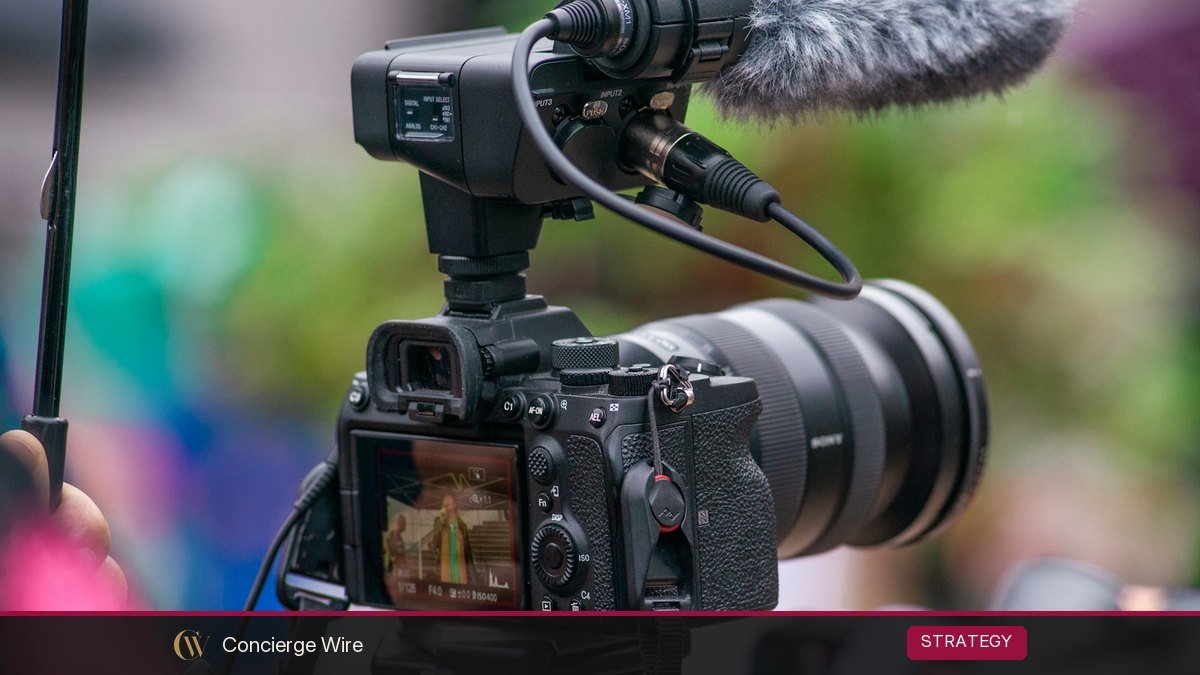
YouTube can bring a small business steady leads for years from videos you make once, but only if you set it up properly and post consistently. This guide covers channel setup step by step, 10 video types that work for small businesses, when to use Shorts versus long-form videos, how to write titles people search for, a posting plan one busy owner can keep, and the metrics that matter.
Key Takeaways
- Use a Brand Account so more than one person can manage the channel, and fill in the About section, links and contact details on day one.
- Start with videos that answer the questions customers already ask you. They are the easiest to make and the most likely to be found in search.
- Shorts can now be up to three minutes long and must be square or vertical. Use them for reach; use long-form videos for trust and leads.
- YouTube titles can be up to 100 characters, but put the search phrase in the first 60 or so, where it will not be cut off.
- A realistic plan is one long-form video and two or three Shorts a week, batched in a single filming session.
Why YouTube Works for Small Businesses
A post on most social platforms fades in a day or two. A good YouTube video that answers a real question can keep getting found through YouTube and Google search for a long time. For a plumber, a bakery, an accountant or a software startup, that means a video made in January can still bring in calls in October.
Video also builds trust before the first contact. A customer who has watched you explain how to fix a dripping tap, or how you pack an order, already feels like they know you. That makes the sale easier.
Step-by-Step Channel Setup
- Create a Brand Account. Set up the channel under a Brand Account linked to a business Google account rather than your personal one. You can then add managers without sharing your password, and the channel stays with the business if someone leaves.
- Choose your name and handle. Use your business name. Keep the handle short and close to your website or social handles.
- Add a profile picture and banner. Your logo for the profile, and a banner that says what you do and how often you post (“New how-to videos every Tuesday”).
- Write the channel description. In the first two sentences, say who you help, with what, and where. For example: “We are a family-run HVAC company in Columbus, Ohio. Every week we post plain-English videos on heating, cooling and saving on energy bills.”
- Add links and contact details. Your website, booking page and business email. Make it easy to go from a video to a call.
- Verify the channel. Verifying with a phone number gives you access to extra features, which YouTube Studio lists under feature eligibility in Settings.
- Set upload defaults. In YouTube Studio, save a default description with your links and a default set of tags, so every upload starts complete.
- Build a channel trailer of 30 to 60 seconds for new visitors once you have a few videos.
Gear you actually need
| Item | Budget option | Why it matters |
|---|---|---|
| Camera | A recent smartphone | Good enough for most small business videos |
| Microphone | A clip-on lavalier mic | Viewers forgive soft video; they leave over bad audio |
| Light | A window facing you, or one LED panel | Even light on your face looks professional |
| Tripod | Basic phone tripod | Steady shots and hands free to demonstrate |
| Editing | A free phone or desktop editing app | Cut mistakes, add captions and a title card |
Buy the microphone first. Upgrade the camera last.
10 Video Types That Work for Small Businesses
1. Customer question answers
Write down every question customers ask by phone, email or at the counter. Each one is a video. “How long does a roof replacement take?” “What size cake do I need for 30 people?” These match exactly what people type into search.
2. How-to tutorials
Teach something related to your product or skill. A bike shop shows how to fix a flat, an accountant explains how to read a profit and loss statement. Helping people do it themselves often brings in the ones who would rather pay you.
3. Product demos
Show the product being used, close up, with honest pros and cons. Keep it focused on one product per video so the title can be specific.
4. Comparisons
“Gas versus electric water heaters,” “Our two most popular plans compared.” Comparison searches come from people close to buying.
5. Behind the scenes
How you make, pack or prepare things. Craft businesses and food businesses do especially well with this.
6. Customer stories
With permission, film a customer talking about the problem they had and how you helped. Keep it real and unscripted. Do not pay for positive comments.
7. Myths and mistakes
“Five mistakes people make when hiring a moving company.” These titles get clicks and show expertise.
8. Pricing explainers
“How much does a kitchen remodel cost in Phoenix?” Many owners avoid this topic, which is exactly why a clear, honest video stands out. Give ranges and explain what changes the price.
9. Local guides
For local businesses: “Best dog-friendly parks in Austin” from a pet groomer, or “Where to see fall colors near Asheville” from a hotel. They attract local viewers who may become customers.
10. Short tips and reactions
Quick, single-point tips and clips from longer videos, posted as Shorts.
Shorts vs Long-Form: When to Use Each
According to YouTube Help, Shorts can now be up to three minutes long (for videos uploaded from October 15, 2024), and they must have a square or vertical aspect ratio.
| Factor | Shorts | Long-form |
|---|---|---|
| Length | Up to 3 minutes; most work best much shorter | Usually 5 to 20 minutes for business topics |
| Format | Vertical or square | Horizontal (16:9) |
| Main job | Reach new people, show personality | Build trust, rank in search, drive leads |
| How people find it | Mostly the Shorts feed | Search, suggested videos, Google |
| Effort | Low, can be cut from long videos | Higher: planning, filming, editing |
| Best for | Quick tips, before and after, behind the scenes | Tutorials, comparisons, pricing, customer stories |
A practical approach: make one long-form video, then cut two or three Shorts from its best moments, each pointing viewers to the full video.
Writing YouTube Titles People Search For
YouTube allows titles of up to 100 characters and descriptions of up to 5,000 characters, according to its help page on video details. Long titles get cut off in search results and on phones, so put the key phrase early.
A simple title formula
[Search phrase] + [specific benefit or detail]
| Weak title | Better title |
|---|---|
| Our Winter Tips Video | How to Stop Pipes Freezing: 6 Tips From a Plumber |
| Cake Sizes!! | What Size Cake for 30 People? Serving Guide |
| Episode 12 | Roof Replacement Cost in Denver (2027 Price Guide) |
| Check This Out | Gas vs Electric Water Heater: Which Costs Less? |
Test a few versions with our free headline analyzer, then pick the one that is clearest, not the most dramatic.
Description, chapters and thumbnails
- First two lines of the description: restate what the video answers, in plain words. That is what shows before “more.”
- Chapters: add timestamps (0:00 Intro, 1:15 Step one, and so on) so viewers and search can jump to sections.
- Links: booking page, related video and a phone number for local businesses.
- Thumbnail: a clear face or the product, three to five large words at most, and high contrast. Make sure it matches what the video delivers.
- Captions: check and correct auto-generated captions. Many people watch with the sound off.
A Realistic Posting Plan
Consistency beats volume. Most small business channels stall because the owner posts five videos in a burst and then nothing for two months.
The batching method
- Plan (1 hour, once a month): list four customer questions or topics for the month.
- Film (half a day, once a month): record all four long-form videos in one session. Change your shirt between them if you like.
- Edit (1 to 2 hours per video): or hand this to a freelancer.
- Cut Shorts (30 minutes per video): two or three vertical clips per long video.
- Schedule: upload everything and schedule it in YouTube Studio.
| Week | Long-form | Shorts |
|---|---|---|
| 1 | Customer question answer | 2 clips from it |
| 2 | How-to tutorial | 2 to 3 clips, plus one behind-the-scenes Short |
| 3 | Comparison or pricing explainer | 2 clips |
| 4 | Customer story or myths video | 2 clips |
If weekly is too much, post every two weeks. Pick a pace you can keep for a full year.
The Metrics That Matter
YouTube Studio’s analytics show a lot of numbers. For a business channel, focus on these.
| Metric | What it tells you | What to do if it is low |
|---|---|---|
| Impressions click-through rate | Whether titles and thumbnails earn the click | Rewrite titles; test clearer thumbnails |
| Average view duration and retention | Whether the video holds attention | Shorter intros; get to the answer in the first 30 seconds |
| Traffic sources | Search, suggested, Shorts feed or external | If search is low, target more question-style titles |
| Website clicks and calls | Whether views turn into business | Add clearer calls to action and UTM-tagged links |
| Subscribers gained per video | Which topics build an audience | Make more videos like the winners |
Do not judge a video after two days. Search-driven videos often grow slowly over months. Review the channel monthly.
What about monetization?
Ad revenue is a bonus for a business channel, not the goal. For reference, YouTube’s Partner Program eligibility page lists two paths that require 1,000 subscribers: either 4,000 qualified watch hours in the last 12 months or 10 million qualified Shorts views in the last 90 days. Requirements can change, so check the current page. One extra customer a month will usually be worth more to a small business than its ad earnings.
Common Mistakes to Avoid
- Making ads instead of answers. Nobody searches for your sales pitch.
- Long intros with logos and music. Start with the answer.
- Bad audio. Buy a mic before anything else.
- Vague titles like “Vlog #3.”
- Posting in bursts, then going quiet.
- No call to action. Tell viewers exactly what to do next: book, call, visit or watch the next video.
- Ignoring comments. Replies build the relationship and give you new video ideas.
Frequently Asked Questions
Is YouTube worth it for a small business?
For many businesses, yes, especially if customers research before buying. Videos that answer common questions can bring in viewers and leads for a long time. The cost is mainly your time.
How often should a small business post on YouTube?
One long-form video a week plus two or three Shorts is a strong pace. Every two weeks is fine if you keep it up all year.
Should I focus on Shorts or long videos?
Use both. Shorts help new people discover you, while long-form videos rank in search and build the trust that leads to sales. Cutting Shorts from long videos gives you both with one filming session.
How long should a YouTube title be?
YouTube allows up to 100 characters, but put the main search phrase in the first 60 or so, because longer titles get cut off in many views.
Do I need expensive equipment to start?
No. A recent smartphone, a clip-on microphone, good window light and a tripod are enough. Upgrade once you know what kind of videos you make.
How long does it take to see results on YouTube?
Usually months, not weeks. Many business channels see search traffic build after several months of consistent posting. Track leads and calls, not just views.
Film Your First Three Videos This Month
Write down the three questions customers ask you most, film a plain answer to each with your phone and a clip-on mic, give each a clear search-style title and post them a week apart. That is a real start. If one turns into a big milestone, such as a series that books out your spring calendar, it may even be worth sharing with local media through a news announcement. For now, start filming.