Instagram for Small Business: Setup, Content and Sales Guide
A step-by-step Instagram system for U.S. small businesses, covering profile setup, content pillars, Reels vs. carousels, a weekly routine, DM sales and metrics.
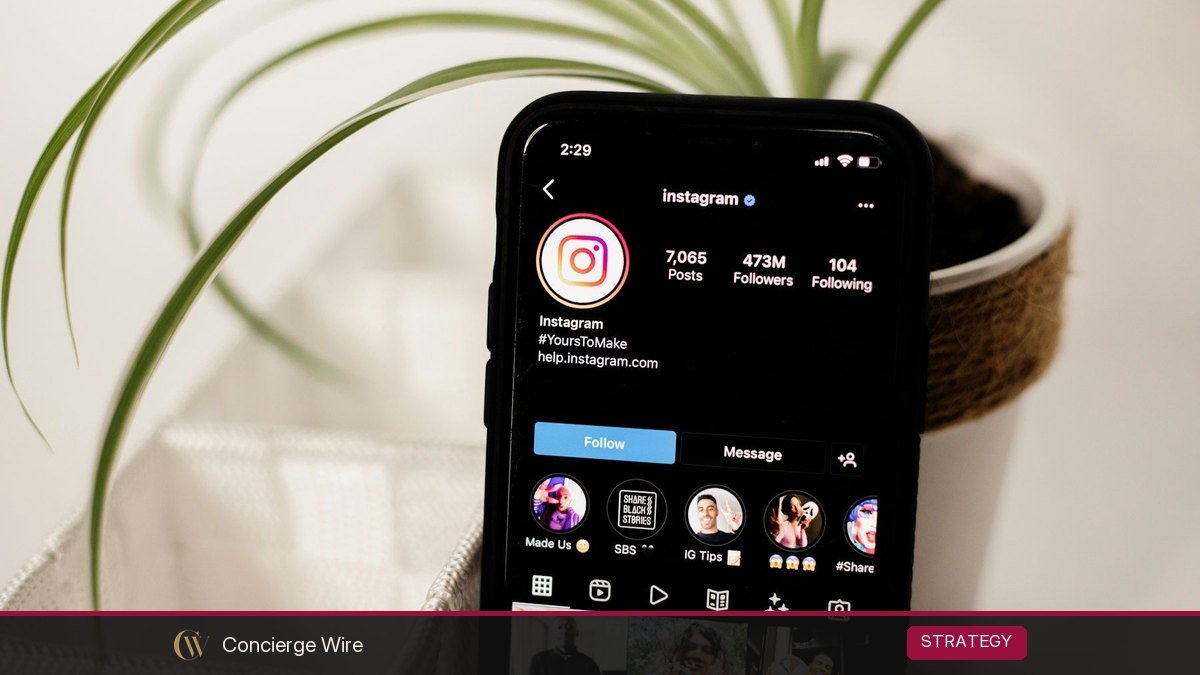
Instagram can bring a U.S. small business steady customers if you treat it as a simple system: a clear profile that converts visitors, three or four content pillars, a mix of Reels and carousels, a posting routine you can keep, and a habit of turning DMs into sales. This guide walks through each step with templates, a weekly schedule and the few numbers worth tracking.
Key Takeaways
- Switch to a professional (business) account so you get Insights, contact buttons and ad tools.
- Pick three or four content pillars tied to what customers buy, and rotate them every week.
- Use Reels to reach new people and carousels to teach and convince people who already follow you.
- Instagram now caps hashtags at five per post, so choose a few specific tags rather than a long block.
- Measure saves, shares, profile visits, link taps and DM conversations, not just likes.
Is Instagram Right for Your Business?
Instagram works best when your product or service is visual, local, personal or bought on emotion: food and drink, beauty and wellness, fitness, home services with before-and-after results, retail, real estate, events, photography and creators of physical products. It can also work for service firms such as accountants or consultants, but they usually do better with short educational Reels and carousels than with polished product photos.
If your buyers are mostly procurement teams at large companies, Instagram may be a secondary channel at best. Ask one question before you invest: “Do my customers scroll Instagram, and would they enjoy seeing what we do?” If yes, keep reading.
Step 1: Set Up a Profile That Converts
Most people who visit your profile decide within seconds whether to follow, message or leave. Treat the profile as a mini landing page.
Switch to a professional account
In the app’s settings, switch to a professional account and choose “Business.” This gives you Insights (analytics), contact options such as email, call and directions buttons, the ability to show a category under your name, and access to ads and boosting. Creator accounts suit individuals building a personal brand; most shops and service businesses should choose Business.
Profile checklist
| Element | What good looks like | Example (illustrative) |
|---|---|---|
| Username | Your business name, short, no random numbers | @maplestreetbakery |
| Name field | Name plus a searchable keyword | Maple Street Bakery | Columbus Cakes |
| Profile photo | Logo or owner’s face, readable at small size | Simple logo mark on a solid color |
| Bio line 1 | What you do and for whom | Custom cakes and pastries in Columbus, OH |
| Bio line 2 | Proof or differentiator | Family-owned since 1998. Nut-free kitchen. |
| Bio line 3 | Call to action | Order 48 hours ahead. Tap the link or DM “CAKE” |
| Link | One page with your top actions | Order page, menu, hours, reviews |
| Contact buttons | Email, call and directions enabled | Directions button for walk-ins |
| Highlights | Four to six covering FAQs | Menu, Prices, Reviews, How to Order, Location |
Pin your three best posts to the top of your grid: one that explains what you sell, one that shows social proof (a review or customer story), and one strong Reel. Remember that the profile grid now shows taller, rectangular thumbnails, so keep the important part of each image near the center.
Step 2: Choose Three or Four Content Pillars
Content pillars are recurring themes. They stop you from staring at a blank screen and make sure your feed supports sales. A simple framework for most small businesses:
- Show the product or service. What you sell, how it is made, before-and-after results.
- Teach something. Tips your customers want: how to store a cake, how to pick a paint finish, what to ask a contractor.
- Prove it. Reviews, customer stories, user-generated content (with permission), milestones.
- Show the people. Owner, team, behind the scenes, the neighborhood.
Here is how that might look for three illustrative businesses:
| Pillar | Hair salon | HVAC contractor | Boutique |
|---|---|---|---|
| Product/service | Color transformations | Install timelapses | New arrivals styled three ways |
| Teach | How to make a blowout last | Furnace filter change in 60 seconds | How to dress for fall weddings |
| Prove | Client reactions, reviews | Five-star review screenshots | Customer try-on photos |
| People | Stylist spotlights | Day in the life of a tech | Owner picks of the week |
Step 3: Reels vs. Carousels vs. Stories
Each format does a different job. Use them together.
Reels: reach new people
Reels are short vertical videos, and Instagram allows them to run up to three minutes, though most small businesses do best with clips well under a minute. Instagram’s head, Adam Mosseri, has said the top three ranking signals are watch time, likes and sends, and that sends (people sharing your post by DM) matter more for reaching people who do not follow you. So make Reels people want to send to a friend: a useful tip, a surprising process, a relatable joke about your industry.
Reel tips that work for small teams:
- Show the result or the most interesting moment in the first two seconds.
- Add on-screen text so the Reel makes sense with the sound off.
- Film vertically in natural light. A phone is enough.
- End with a simple action: “Save this for later” or “DM us ‘QUOTE’ for a price.”
Carousels: teach and convince
Carousels (multi-image posts) are ideal for tips, checklists, before-and-after sequences, price guides and customer stories. Carousels can include up to 20 slides, but six to ten is usually plenty. Put a clear promise on slide one (“5 signs your furnace needs service before winter”), one idea per slide, and a call to action on the last slide. Carousels tend to earn saves, a strong signal that the content is useful.
Stories: stay top of mind with followers
Stories disappear after 24 hours unless saved to Highlights. Use them for daily specials, polls, behind-the-scenes clips, reposting customer tags and quick announcements. Stickers for links, polls and questions make it easy for followers to act.
Hashtags and captions
In December 2025 Instagram announced it would limit posts and Reels to five hashtags, rolling the change out gradually. Choose a few specific tags (your city, your niche, your product type) instead of generic ones. Write captions that start with a hook, add useful detail, and include keywords people might search, such as “birthday cakes in Columbus.”
Step 4: Build a Posting Routine You Can Keep
Consistency beats volume. A realistic routine for an owner who has about three hours a week:
| Day | Feed post | Stories |
|---|---|---|
| Monday | Reel: teach (tip or how-to) | Poll or question sticker |
| Tuesday | None | Behind the scenes |
| Wednesday | Carousel: product or prove | Share the carousel, add a link sticker |
| Thursday | None | Customer repost or review |
| Friday | Reel: product or people | Weekend hours or special |
| Weekend | Optional | Live moments from the shop or job site |
A one-hour batching session
- Pick next week’s three topics from your pillars (10 minutes).
- Film two Reels and photograph one carousel in one session (30 minutes).
- Write captions and choose hashtags (10 minutes).
- Schedule posts with Instagram’s built-in scheduler or Meta Business Suite (10 minutes).
Then spend 10 to 15 minutes a day replying to comments and DMs. That daily engagement time is not optional; it is where followers become customers.
Step 5: Turn DMs Into Sales
For many small businesses, the DM inbox is the real storefront. A good DM process can matter more than any single post.
Make it easy to message you
- Use a keyword call to action: “DM us ‘BOOK’ for open appointments.”
- Turn on saved replies for your most common questions: price, availability, location, how to order.
- Set up FAQs in your messaging settings so new chats see quick-tap questions.
A simple DM-to-sale script
Customer: How much for a birthday cake?
You: Thanks for asking! Our 8-inch custom cakes start at $65 and serve about 12 to 16. What date do you need it, and do you have a theme in mind?
Customer: Nov 14, dinosaurs.
You: Love it. We have Nov 14 open. Here are three dinosaur designs we’ve done recently [photos]. You can book here [order link], or I can reserve it for you now with a $20 deposit.
The pattern is: answer the question with a real price or range, ask one qualifying question, show proof, and offer one clear next step. Reply within a few hours during business hours if you can; slow replies lose sales.
Collaborations and creators
Partnering with local creators can introduce you to new audiences. If you give a creator free products or pay them, the FTC expects the relationship to be disclosed clearly. The FTC’s Disclosures 101 for social media influencers says free or discounted products count as a financial relationship, and the disclosure should be easy to see, not buried in hashtags or a bio. Ask partners to use Instagram’s paid partnership label and a plain “ad” or “sponsored” note.
Step 6: Measure What Matters
Instagram Insights shows performance for each post and your account overall. Ignore vanity metrics and track a short list every month:
| Metric | What it tells you | What to do with it |
|---|---|---|
| Reach from non-followers | Whether you are attracting new people | Make more of the Reels that reach beyond followers |
| Saves | Content people find useful | Turn top-saved topics into more carousels |
| Shares/sends | Content people recommend | Repeat the format and topic |
| Profile visits | Interest after seeing a post | Make sure bio and pinned posts convert |
| Link taps and contact button taps | Intent to buy or book | Tie to sales on your site or booking system |
| DM conversations started | Leads | Track how many become sales |
| Follower growth | Long-term audience | Review monthly, not daily |
Add a simple tracking habit outside Instagram: ask new customers “How did you hear about us?” and use a UTM-tagged link in your bio so your website analytics can attribute visits to Instagram.
When to try ads
Once you have a few posts that perform well organically, boosting them to a local audience can extend their reach for a modest budget. Start small, target people within a sensible radius of your business, and judge the results on bookings and sales, not likes. When you have genuine news such as an opening or a milestone, organic posts can work alongside other channels; our guide to what a press release is explains when a formal announcement makes sense, and the startup readiness scorecard can help you decide if it is worth it.
Common Instagram Mistakes Small Businesses Make
- Posting only product photos with prices and no story or teaching.
- Using a bio that says “Welcome to our page!” instead of what you sell and where.
- Ignoring DMs for days.
- Copying trends that have nothing to do with your customers.
- Buying followers, which inflates numbers without customers and can hurt reach.
- Reposting customer photos without asking permission.
- Quitting after three weeks. Most accounts need a few months of consistent posting before patterns emerge.
Frequently Asked Questions
How often should a small business post on Instagram?
Two or three feed posts a week plus a few Stories is a sustainable starting point for most owners. Consistency over months matters more than posting every day for two weeks and then stopping.
Should I use a Business or Creator account?
Most shops, restaurants and service businesses should use a Business account, which offers contact buttons, a category label and ad tools. Creator accounts suit individuals building a personal brand.
How many hashtags should I use?
Instagram announced in December 2025 that posts and Reels would be limited to five hashtags. Choose a few specific, relevant tags such as your city, niche and product type.
Are Reels better than photos?
Reels are usually better for reaching new people, while carousels and photos are good for teaching and convincing existing followers. A mix of both works best.
Can I sell directly on Instagram?
Yes. Many small businesses sell through DMs with an order link, through a link in bio to their website, or with Instagram’s shopping features where available. Start with whatever is simplest for your customers.
How long does it take to see results?
Expect two to three months of consistent posting and daily engagement before you can see clear patterns in what brings inquiries. Track DMs and bookings from the start so you can see progress.
Start This Week
Fix your bio, enable contact buttons and pin three posts today. This weekend, choose your pillars and batch-film two Reels. Next week, post three times and answer every DM within a few hours. In a month, open Insights, find the two posts that drove the most profile visits and messages, and make more like them. That is the whole system.